
Tictactrip support (FAQ)
How to book a child ticket?
Booking a ticket for your child can be, on some sites, a real headache, and we're well aware of it at Tictactrip! That's why we've tried to make this task as easy as possible for you! To book your child's train ticket, it's very simple, follow the guide!

Booking a child ticket, in which cases?
First of all, you should know that depending on the company serving the journey you want to book, there may not necessarily be a difference between a child ticket and an adult ticket and sometimes not even a senior one. It will therefore depend entirely on the transport company partner with which you are about to make your bus or train ticket reservation.
However, to make things easier for you and to avoid having to go to our pages with information about our partner companies to find out if there are child train tickets for example, we've made it so that you can choose the age of passengers traveling from your journey search. This way, you'll get the prices directly updated based on the types of tickets available from the company! Nice right? But then you'll say to me "But how do I book my child's train ticket?". We have just one thing to say: read on, we explain everything step by step!
Steps to book your child ticket on Tictactrip
Alright, let's go, here are the simple steps for you to book your child's ticket for your upcoming trip!
Step 1, choose your route
Yes, before starting a reservation, you need to know your route as you can imagine! Once that's done, you just need to enter it into our search engine like below:
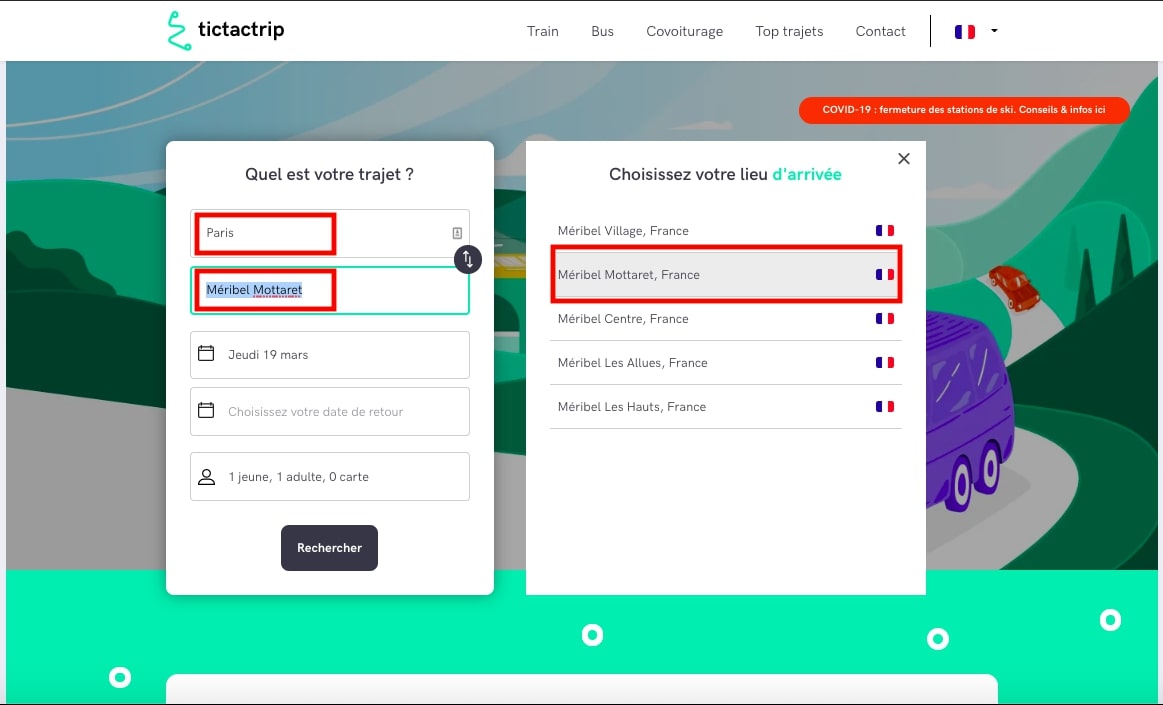
In these boxes outlined in red, you can see your journey summarized. You can then choose your departure date and potentially your return date. But where do you fill in the fields about passengers and your child who is traveling?
Step 2, who's traveling?
Here we are already! We didn't tell you it would go so fast?!
In fact, you just need to indicate who is traveling like in this image below once more:
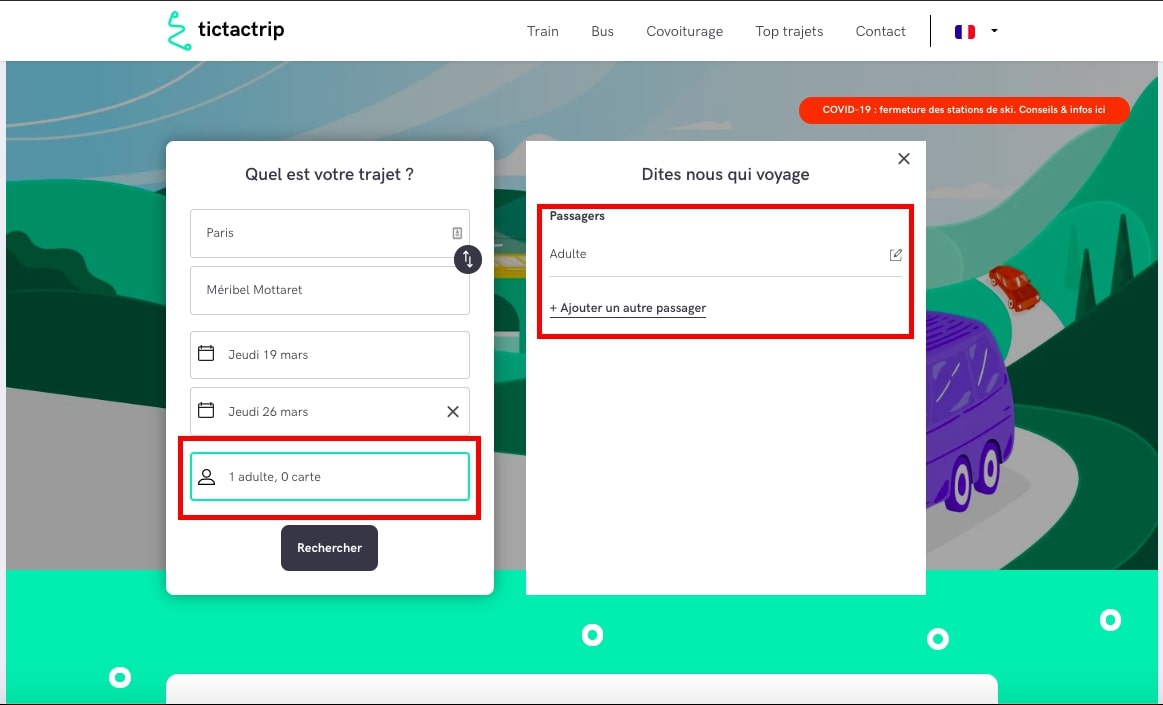
You can then see, highlighted in red, the important parts. You can see that in this image, only one adult is traveling. To change this, you just have to click on the right. Otherwise, if you wish to add more passengers, nothing could be simpler: you just need to click on "+ Add another passenger". Here's what will then be displayed:
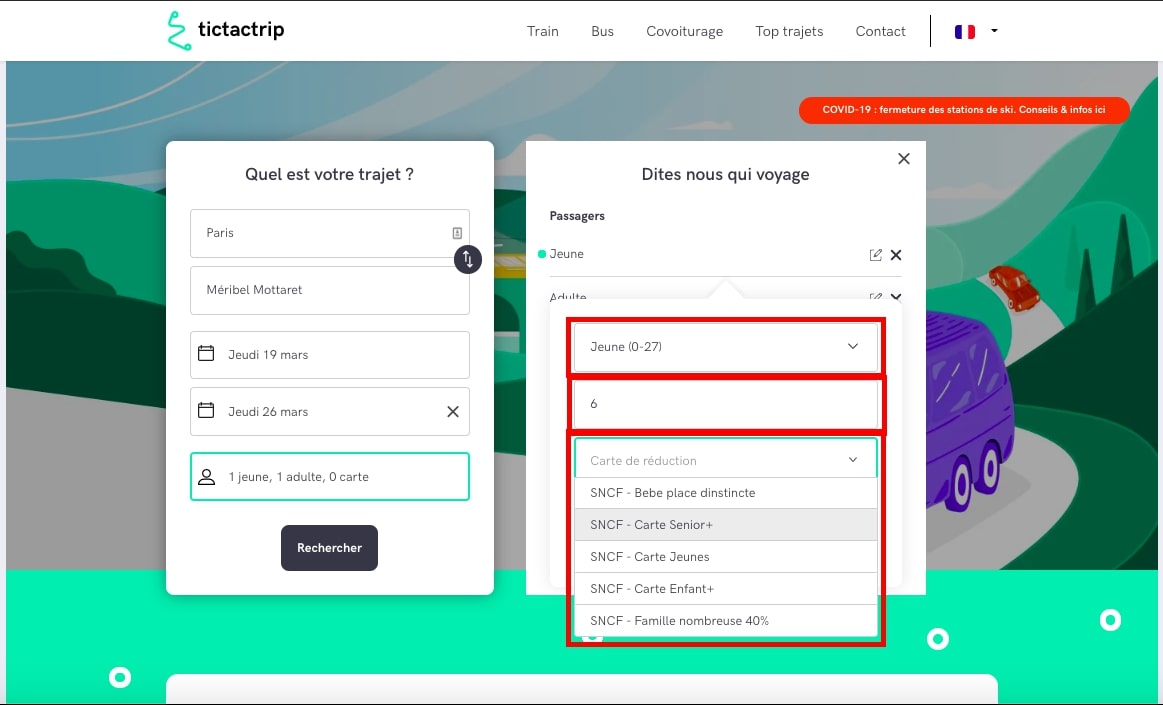
Finally, in this image, you have all the information requested for adding a new passenger: their age group, then their exact age and finally whether or not they have an appropriate discount card. If so, feel free to enter it in the dropdown menu that will appear to you.
And that's it, you've already finished, you just selected a child passenger on our site in three clicks. All that's left for you to do is search for your route, compare and choose the offers that interest you before booking and paying for your journey and thus your child ticket!
We wish you a pleasant trip with your family!
Tictactrip Team
Updated time: 19/03/2020.